
Remote Backup & Business Continuity
Business continuity and disaster recovery (BCDR) combines the technology and recovery plan your business needs to keep operating when data, systems or servers become unavailable. A backup preserves your information, while a business continuity plan defines what must be restored first, who manages the response and how employees can resume work.
Ransomware, hardware failure, accidental deletion and local disasters can interrupt operations, delay customer service and create significant recovery costs. Access builds data backup solutions for business around your systems, operational priorities and acceptable downtime, not a one-size-fits-all product.
In 2026, one of the biggest risks is untested confidence. A business may assume its backups are reliable without having completed a controlled restore. Access designs, deploys, monitors and tests BCDR solutions using platforms such as Datto and Veeam. For businesses seeking business continuity and disaster recovery in Toronto, this provides one accountable partner for the complete recovery stack.
Business Continuity and Data Recovery
Protect. Backup. Run. Restore.
Access deploys Datto backup solutions as part of a managed continuity service. We identify the systems that require protection, establish backup and retention policies, configure local and off-site recovery points, monitor backup health and test that critical workloads can be restored.
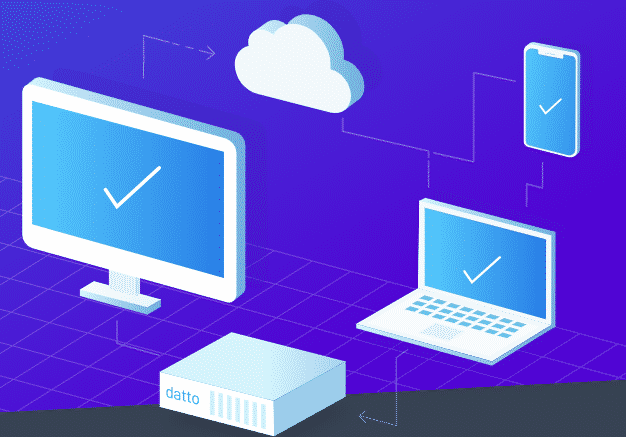
Datto Cloud Protection
Access configures Datto to support recovery at multiple levels, from an individual file to a complete protected server. Local recovery options help reduce downtime, while off-site replication preserves access to recovery points when the primary location or equipment is unavailable.
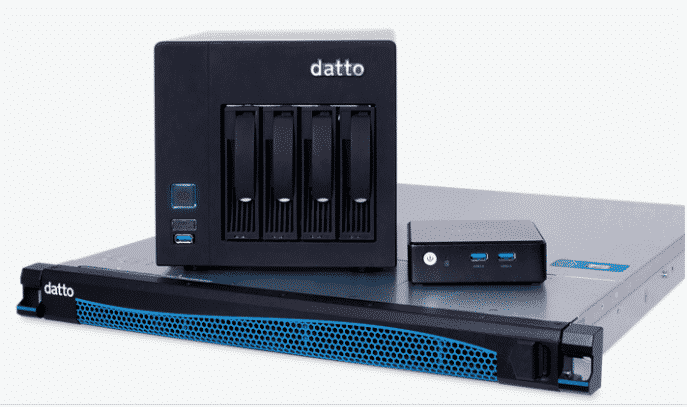
Deployed as a physical, virtual or imaged appliance, SIRIS brings backup, verification and recovery capabilities into one managed environment. Access selects and manages the deployment model based on your infrastructure, recovery objectives and operational requirements.
Offer Peace of Mind
Protect important files, applications and systems with backups monitored by the Access team rather than relying on manual processes or unverified copies.
Prepare for Disruption
Maintain recovery options for hardware failure, accidental deletion, system corruption and other events that could otherwise stop employees from working.
Support Ransomware Recovery
Restore systems from an appropriate clean recovery point and prioritize the applications your business needs to resume essential operations.
Deployed as a physical, software or virtual appliance, SIRIS 3 provides the business continuity features, tools, and management capabilities to get up and running fast.

SIRIS is an all-in-one BCDR platform designed to reduce data loss and help businesses recover from system outages. Access manages the platform as part of a broader continuity plan, including configuration, monitoring, restore procedures and backup testing.
Introducing SIRIS 3
All-in-One Business Continuity
SIRIS 3 established an integrated approach to business continuity by combining image-based backups, multiple restore options, local virtualization and off-site cloud protection. Access configures these functions around the systems your business depends on most.
Raising The Bar For Reliability
A completed backup job does not automatically confirm that a system is recoverable. Access monitors backup results and verifies recovery points so potential problems can be identified before an actual disruption.
Get Back To Business Fast
When a protected server fails, an instant virtualization backup capability can run the server from an available recovery point while the original environment is repaired or replaced. This helps employees regain access to essential systems sooner.
SIRIS 4 Appliances
SIRIS 4 appliances provide an integrated hardware and software environment for protecting supported physical and virtual workloads. Access configures the appliance, storage, cloud replication, retention policies and recovery procedures as one managed service.
Practical Benefit: Locally available recovery platform backed by off-site protection, giving your business more than one path to restore operations.
SIRIS Virtual
SIRIS Virtual delivers the SIRIS feature set through a virtual appliance within a supported VMware or Microsoft Hyper-V environment. Access integrates it with your existing virtualization infrastructure, allocates appropriate storage and verifies the recovery process.
Practical Benefit: Your business can add managed continuity protection without installing another dedicated physical appliance.
SIRIS Imaged
SIRIS Imaged allows compatible customer-provided hardware to be converted into a SIRIS continuity appliance using Datto’s imaging utility and the appropriate licence. Access evaluates the hardware, completes the deployment and manages the resulting backup environment.
Practical Benefit: Suitable existing hardware may be used to create a dedicated continuity appliance instead of introducing a predetermined hardware format.
Inverse Chain Technology
Datto’s Inverse Chain Technology records changes between backup points while maintaining independent recovery points. This reduces reliance on a long sequence of connected incremental backups and supports recovery from the selected point in time.
Practical Benefit: A problem with one recovery point is less likely to make every later backup unusable, providing a more resilient recovery history.
Veeam Backup and Replication
Access deploys Veeam Backup & Replication for businesses that need flexible protection across physical, virtual and cloud workloads. We configure the storage, retention, security and recovery policies, then monitor the environment as part of a managed cloud backup and recovery strategy.
Backup
- Image-based protection for supported virtual, physical and cloud workloads
- Application-aware backups for important business systems and databases
- Flexible retention across local, object and cloud storage
- Protected backup copies designed to reduce exposure to deletion, corruption and ransomware
Recovery
- Restore individual files, folders and application items
- Prioritize critical systems through instant workload recovery
- Recover data to its original environment or an approved alternate location
- Test recovery procedures before they are required during a real incident
Replication
- Maintain replicas of selected virtual workloads at a secondary location
- Support planned or emergency failover for critical systems
- Move backup copies and replicas off-site based on the continuity design
- Reduce recovery time by preparing infrastructure before an outage occurs
Veeam Capabilities Access Can Configure
Cloud-Ready Retention
Extend retention using appropriate object or cloud storage while controlling how long different types of business data are preserved.
Workload Mobility
Recover or move supported workloads between local infrastructure, cloud platforms and alternate environments when business requirements change.
Application-Aware Protection
Protect important applications and databases with recovery options that are more precise than restoring an entire server.
Recovery Security and Governance
Apply access controls, encryption, immutable storage options and documented recovery procedures to strengthen resilience and support compliance requirements.
Frequently Asked Questions
- What is the difference between a backup and a full business continuity plan?
A backup is a recoverable copy of data or a system. A business continuity plan also defines recovery priorities, responsibilities, acceptable downtime, alternate operating procedures and the steps required to restore essential services. Backups are one component of the complete plan.
- How often should backups be tested?
Backup testing should be completed after initial deployment, following major infrastructure changes and on a recurring schedule. Critical systems may require quarterly or more frequent tests, while lower-risk workloads may be tested less often. Access determines the schedule based on your recovery objectives and documents the results. For additional safeguards, see our guide on backup security best practices for businesses in 2026.
- How quickly can my business recover after a ransomware attack?
Recovery time depends on the number of affected systems, whether clean recovery points are available and how thoroughly the recovery process has been tested. In a prepared environment, priority systems may be restored or virtualized first while the remaining infrastructure is rebuilt. Access validates recovery points before restoration and follows a staged ransomware recovery process.
- Do you back up Microsoft 365 and cloud data, or just on-premise servers?
Access can protect both on-premise and cloud environments. A Microsoft 365 backup solution can cover data within Exchange, OneDrive, SharePoint and Teams, while additional services can protect supported cloud servers, applications and workloads. The final scope is based on where your business data is stored.
- Is Datto or Veeam the better fit for my business?
Datto is often suited to businesses that want an integrated appliance, cloud and disaster recovery model managed through one platform. Veeam may be better for organizations requiring flexible protection across larger virtual, physical, hybrid or multi-cloud environments. Access evaluates the infrastructure, recovery targets, compliance needs and budget before recommending either platform.
- How much does data backup and recovery typically cost for a small business?
Cost depends on the number of protected users, servers and workloads, the volume of data, retention requirements, cloud storage, backup frequency and required recovery speed. A plan that protects a few Microsoft 365 users will cost less than a solution providing local appliances, server virtualization and rapid failover. Access scopes these requirements and structures the service around the level of protection the business actually needs.